- Open ScalePad Lifecycle Manager X
Open ScalePad Lifecycle Manager X.
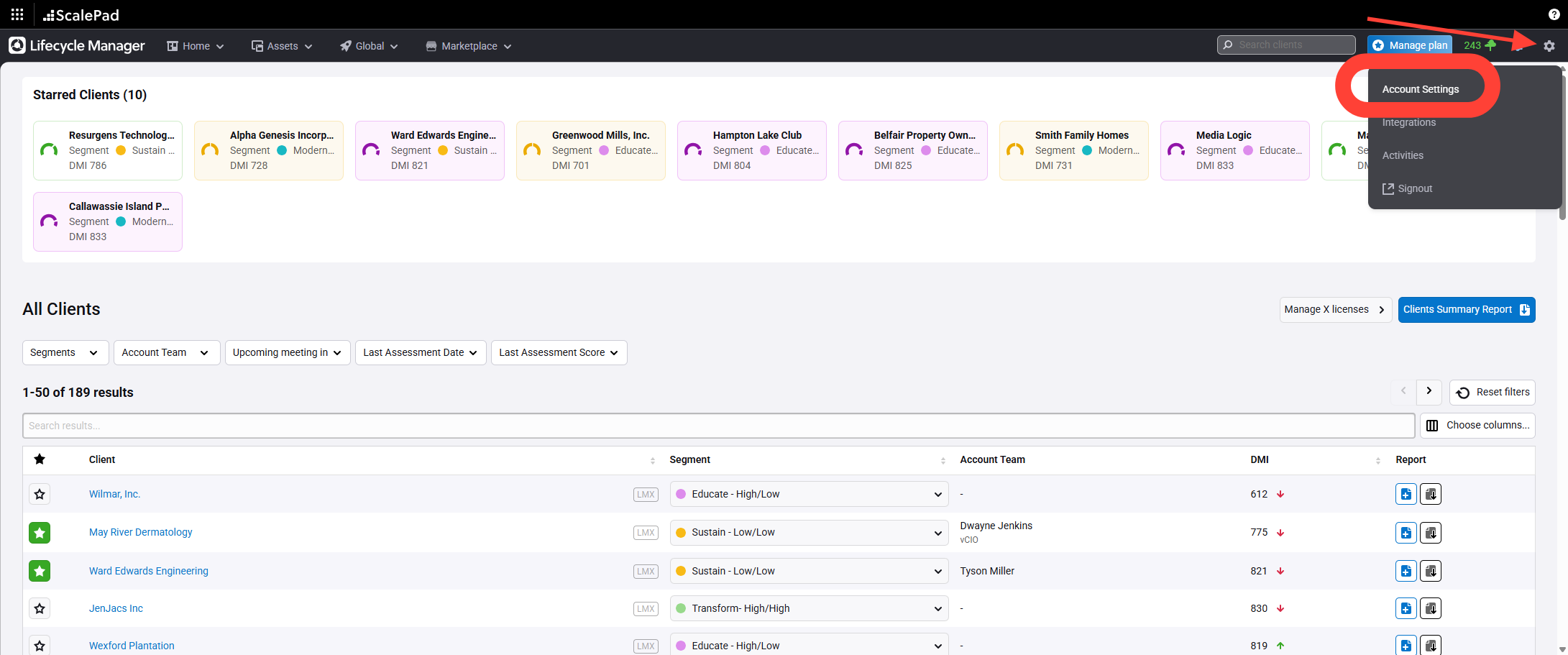
- Navigate to Account Settings
Click Account Settings in the main menu.
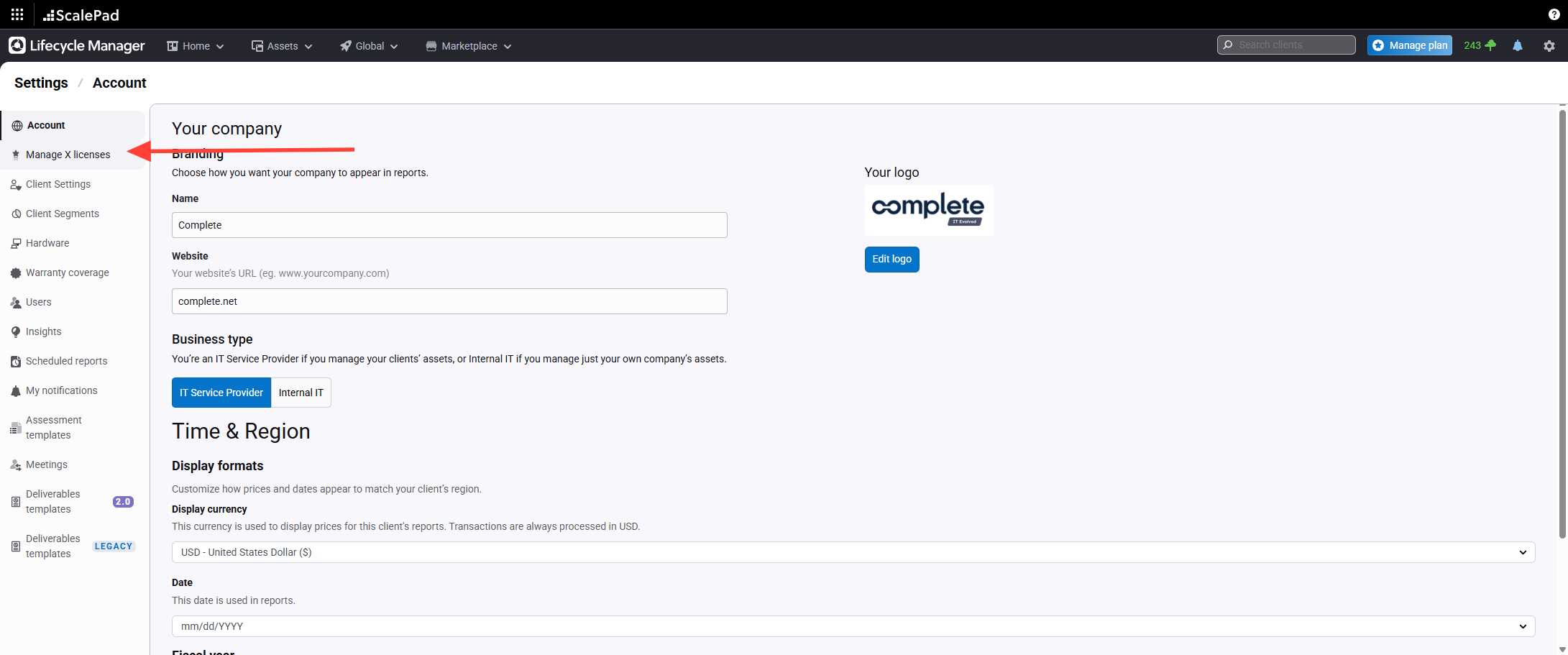
- Open Manage LMX License
Click Manage LMX license.
- Assign LMX License to Client
Select the client without a license.
Assign the appropriate LMX license.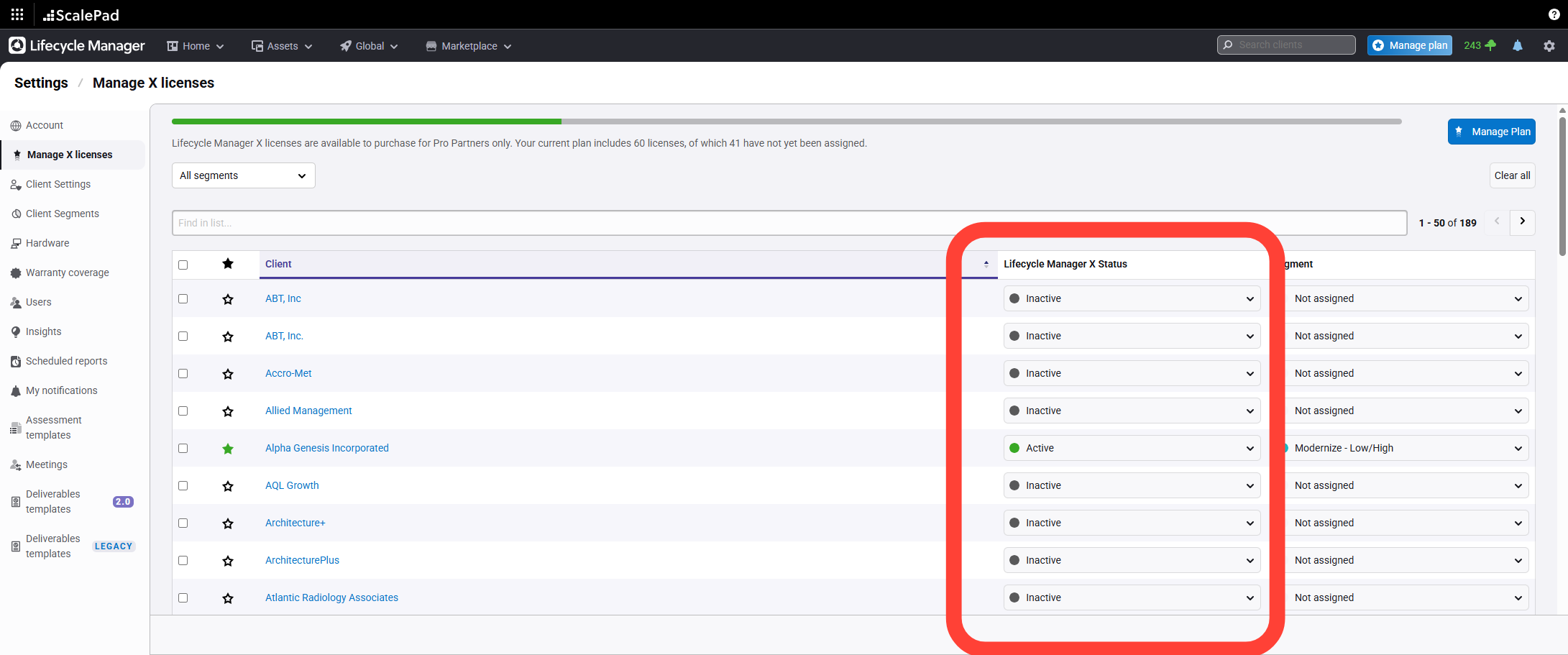
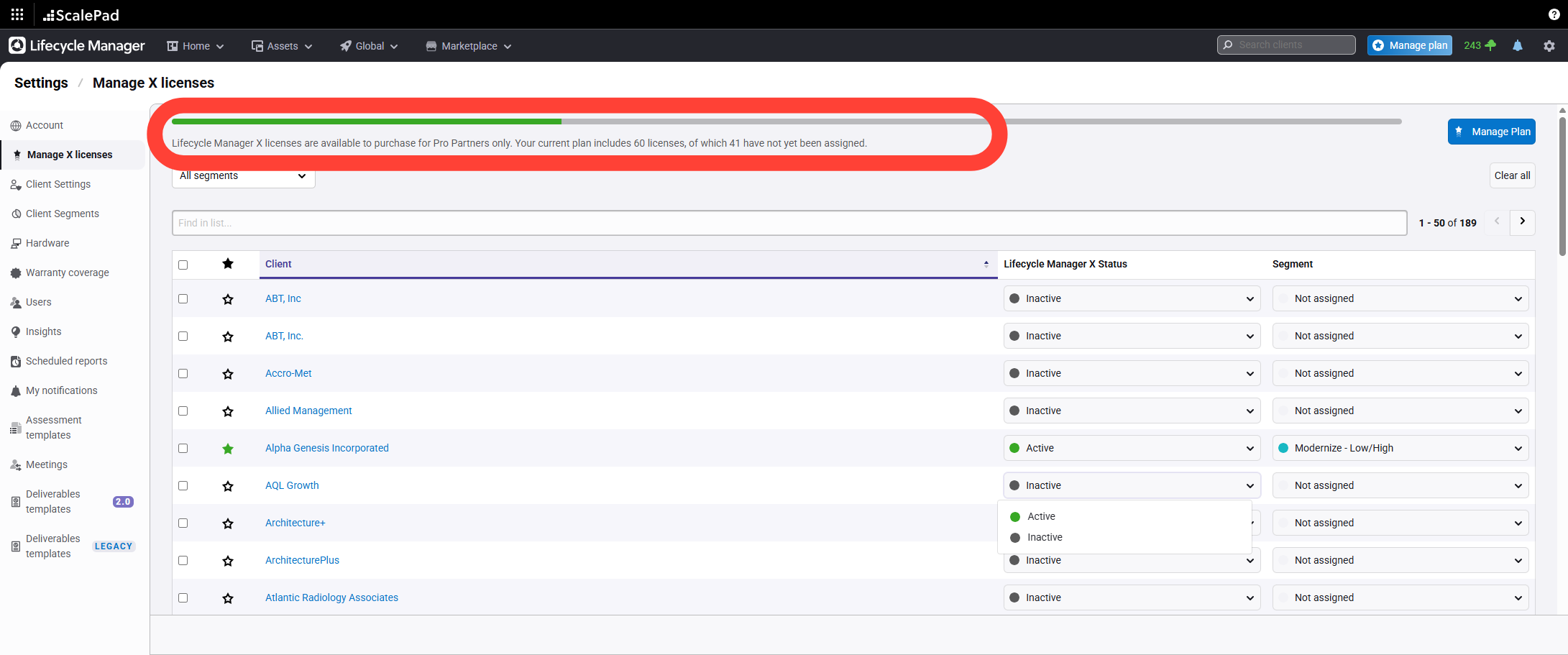
- Verify Available License Allotment
Check the available license allotment at the top of the page.
Lifecycle Manager X - License Assignment
Updated on