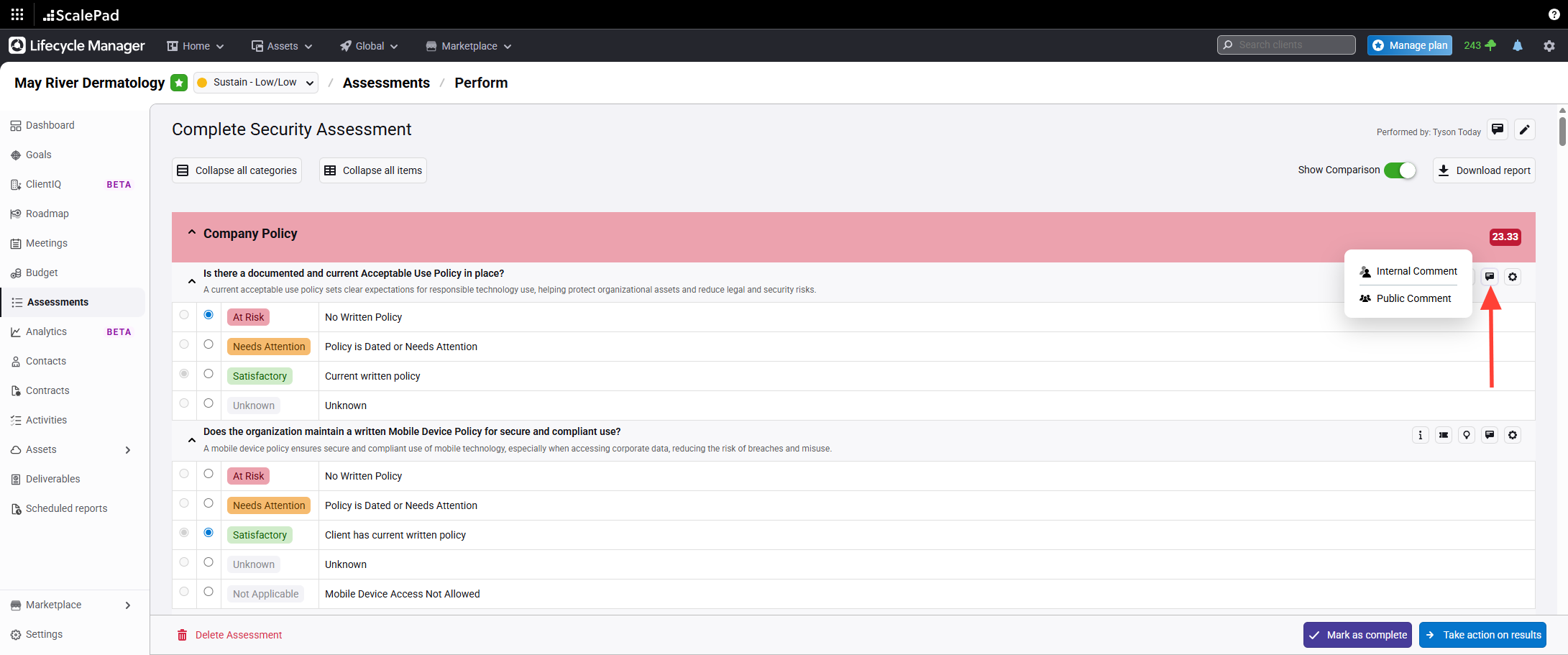
- Access the comments section for an assessment item
Click the comments option on the assessment item to open the comments section.
You can select Public or Internal Comments. Both types can be added for any item
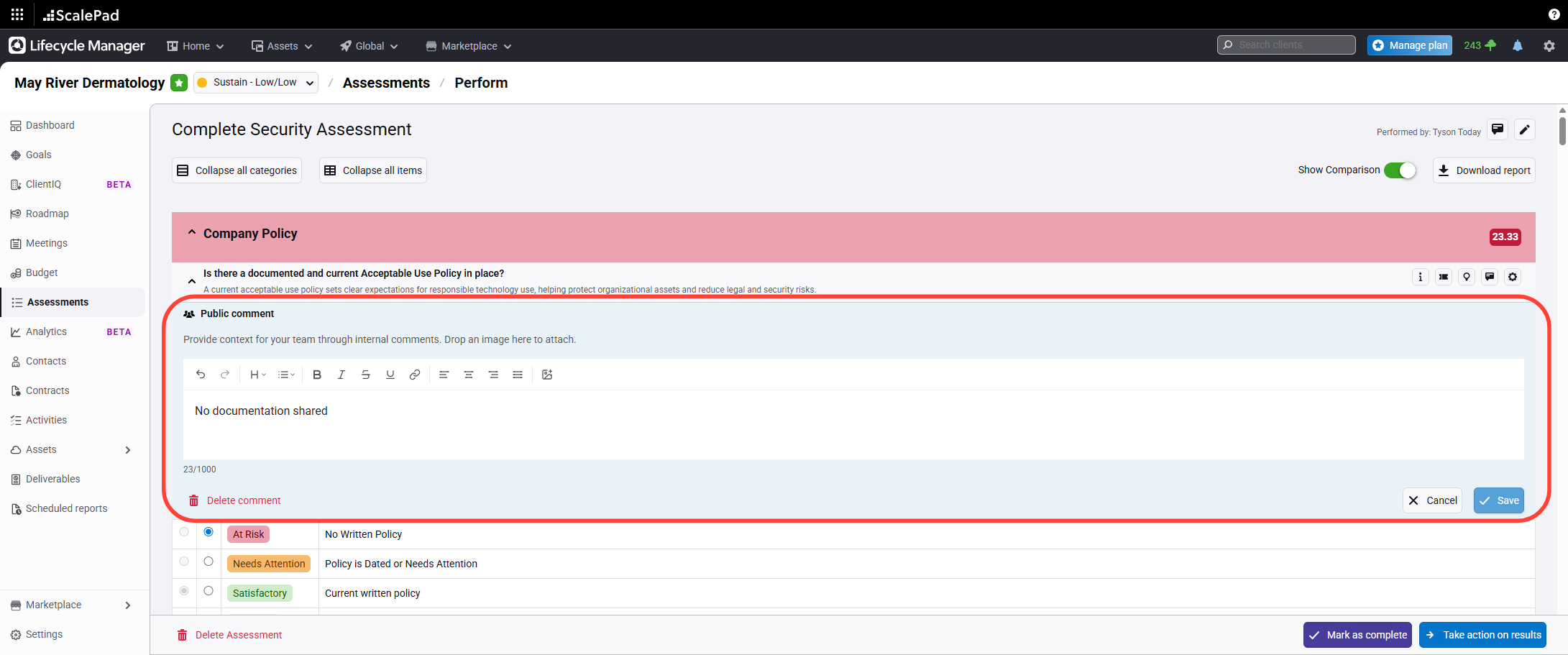
- Add a descriptive comment
Enter your comment to provide more detail about the assessment item.
You can modify or delete comments at any time.
Adding Comments to an Assessment
Updated on