- Open the asset menu
Click the asset menu in the main navigation.
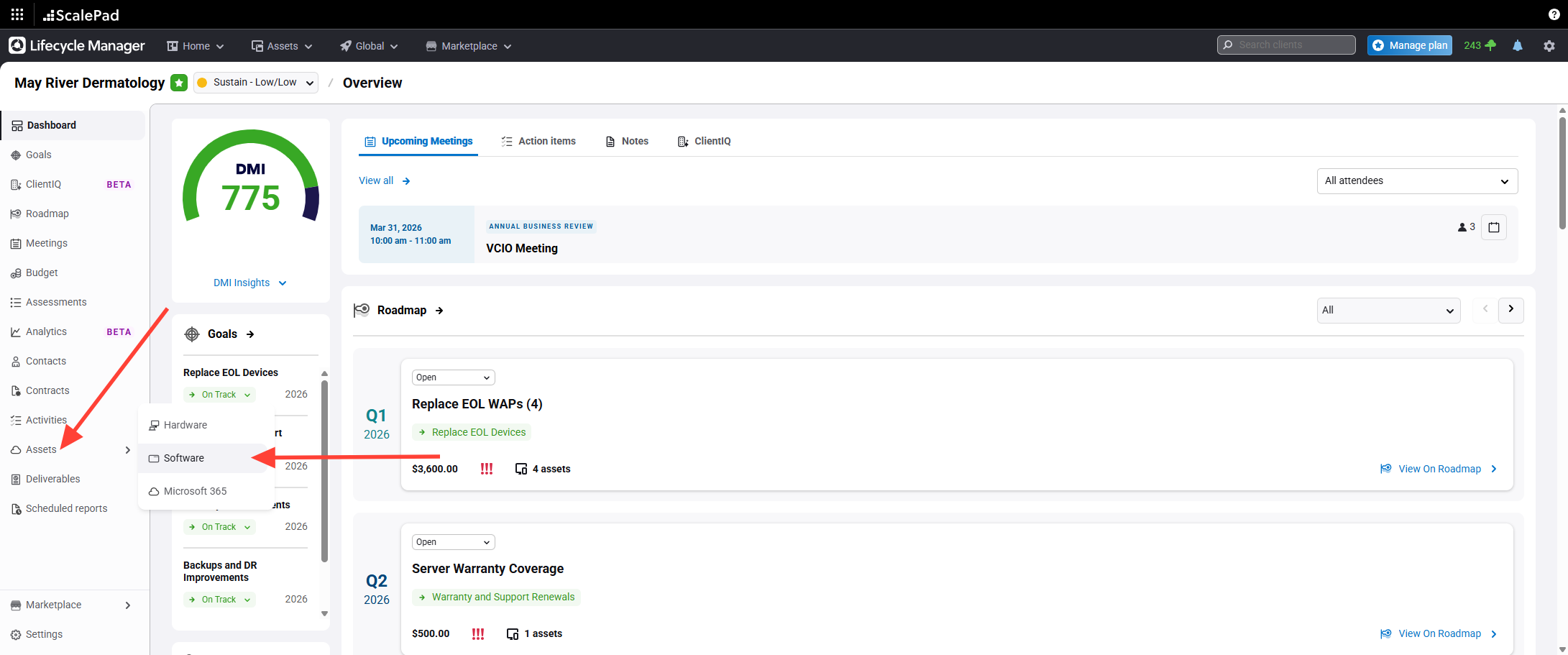
- Select Software from the asset menu
Select Software from the asset menu to view software assets.
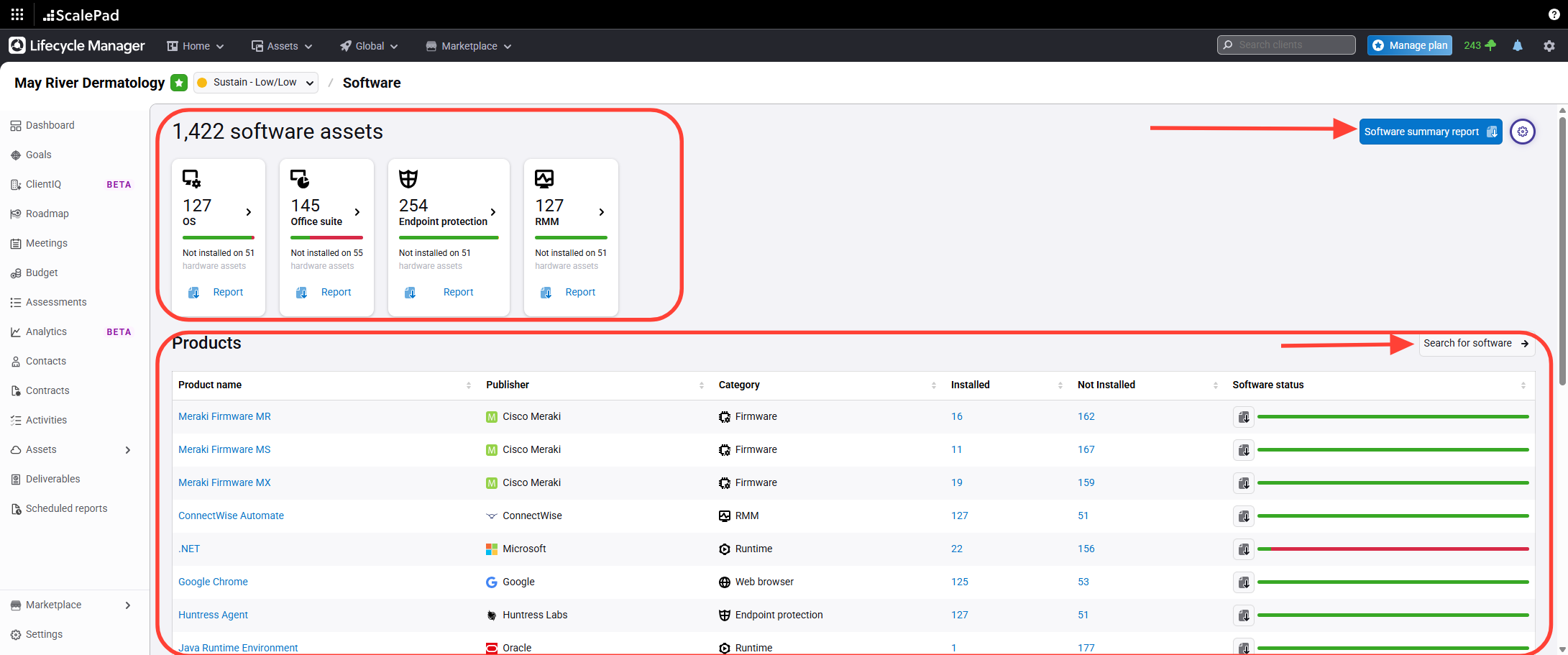
- View software assets grouped by type
Review the software assets list, grouped by type and product.
You can the sort and report controls to organize or export software asset data.
Additionally, you can Search for any software
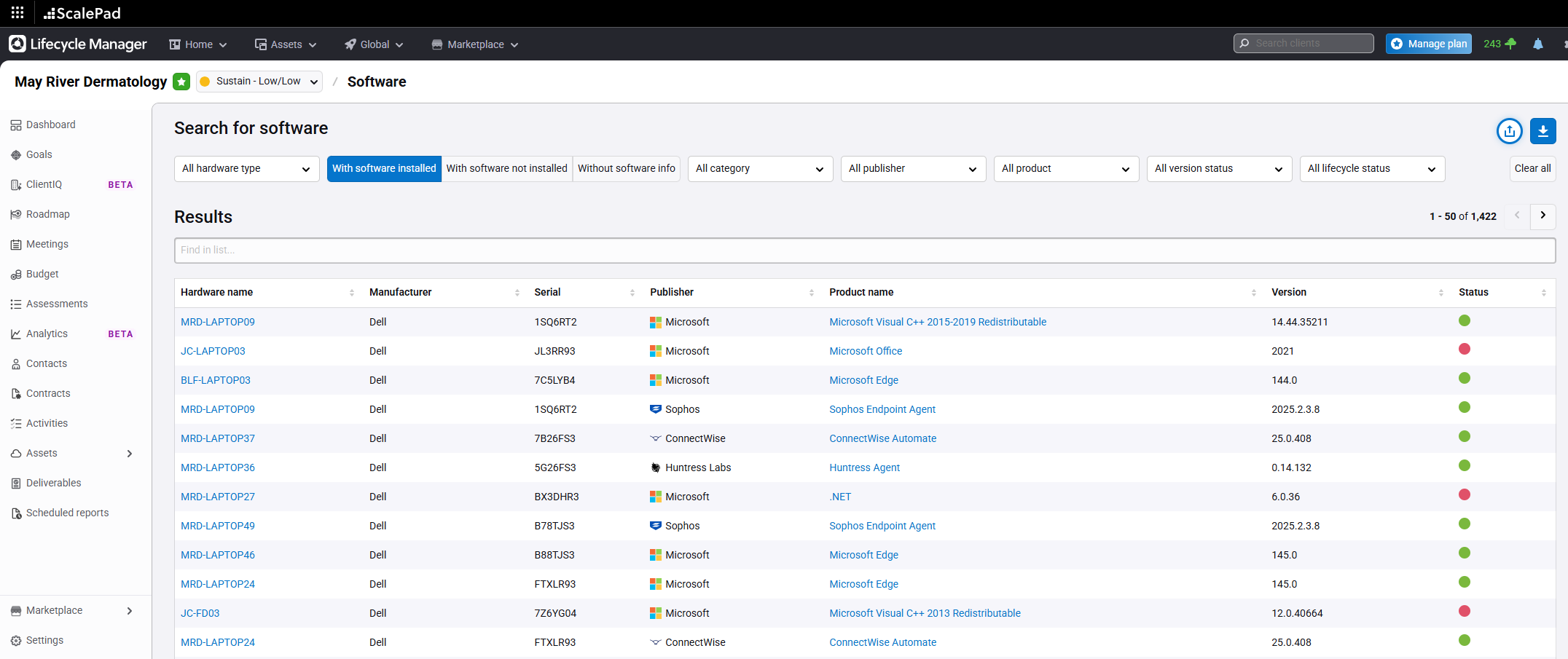
- Search Software
You can Search and Filter by software, including unsupported software
Accessing Software Assets
Updated on